


 русский
  Español
  中文简体
中文简体
Industry News

Home / News / Industry News / What Should You Know About Electric Warehousing Vehicle Instruments?
What Should You Know About Electric Warehousing Vehicle Instruments?
Admin 2026-09-24Content
- 1 Why Instrumentation Defines Modern Electric Warehousing Vehicles
- 2 What Information Do Electric Warehousing Vehicle Instruments Display?
- 3 Types of Electric Warehousing Vehicle Instruments
- 4 Applications Across Warehouse Vehicle Classes
- 5 Key Features to Consider Before Specification
- 6 How to Choose the Right Instrument for Your Fleet
- 7 OEM and Replacement Applications
- 8 What to Ask an Electric Warehousing Vehicle Instrument Supplier
- 9 Why Choose Our Instruments
- 10 Frequently Asked Questions
- 10.0.1 Q1: What is the difference between a battery monitor and a multifunction display?
- 10.0.2 Q2: Can I replace an analog instrument panel with a digital display?
- 10.0.3 Q3: What IP rating is suitable for a pallet truck instrument?
- 10.0.4 Q4: How many fault codes should an instrument store?
- 10.0.5 Q5: What is the typical lead time for a custom instrument?
- 10.0.6 Q6: How do I test an instrument before installing it in a vehicle?
- 11 Request a Quote
Why Instrumentation Defines Modern Electric Warehousing Vehicles
Electric warehousing vehicles operate in tight, high-traffic environments where every second of uptime matters. The instrument cluster is not a decorative add-on; it is the primary interface between the operator and the machine's electrical, thermal, and mechanical health. A well-matched instrument system can reduce diagnostic time by 40 to 60 percent, prevent deep battery discharge, and extend motor controller life.
This guide examines the practical and technical dimensions of electric warehousing vehicle instruments, from display types and data channels to mounting, communication, and replacement planning. It avoids brand-specific claims and focuses on engineering criteria that apply across fleets.
Key insight: In warehouse operations, the instrument is often the only feedback loop between the battery management system and the driver. Poor visibility or missing fault codes directly increases mean time to repair.
What Information Do Electric Warehousing Vehicle Instruments Display?
A functional cluster communicates five core categories. Each category has distinct sensor inputs, update rates, and display priorities.
| Data Category | Typical Source | Update Rate | Operator Priority |
|---|---|---|---|
| Battery state of charge | BMS or shunt | 1 to 5 Hz | Critical |
| Vehicle speed | Motor encoder or hall sensor | 10 to 50 Hz | High |
| Operating hours | Controller timer | 1 Hz | Medium |
| Warning status | Temperature, voltage, current sensors | 2 to 10 Hz | Critical |
| Fault codes | Controller CAN bus | Event-driven | Critical |
Battery Status
State of charge, voltage, current, and temperature are the four pillars. A good instrument shows both a percentage and a voltage value because voltage sag under load can mislead a purely percentage-based display.
Vehicle Speed
Speed display must remain stable during acceleration and regenerative braking. In warehouses, speed limiting is common; the instrument should indicate whether the vehicle is in a limited mode.
Operating Hours
Hour meters support preventive maintenance scheduling. Some systems separate traction hours from lift or auxiliary hours.
Warning Information
Warnings are pre-fault alerts: low battery, high motor temperature, low hydraulic oil, or parking brake engagement.
Fault Information
Fault codes should be stored with timestamps. This allows technicians to correlate a fault with a specific operation or shift.
Types of Electric Warehousing Vehicle Instruments
Four main architectures dominate the market. Each suits different vehicle classes and integration levels.
Digital Instrument Displays
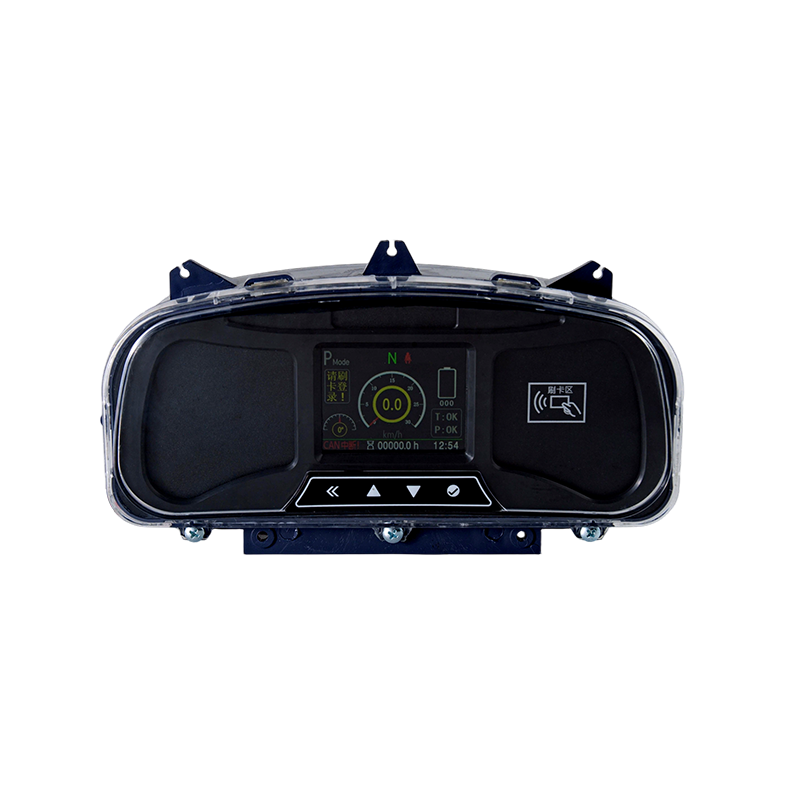
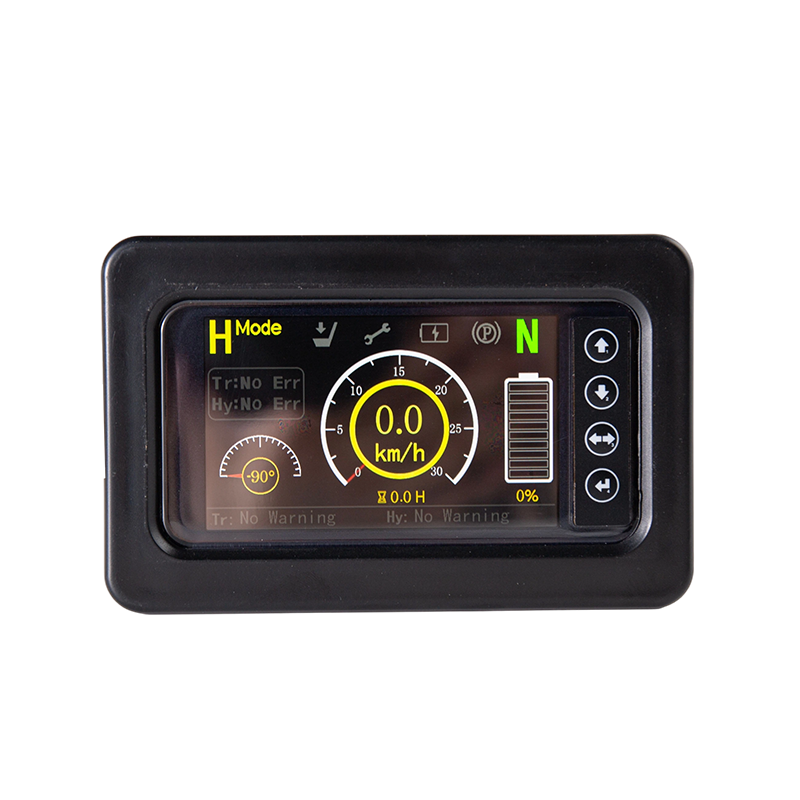
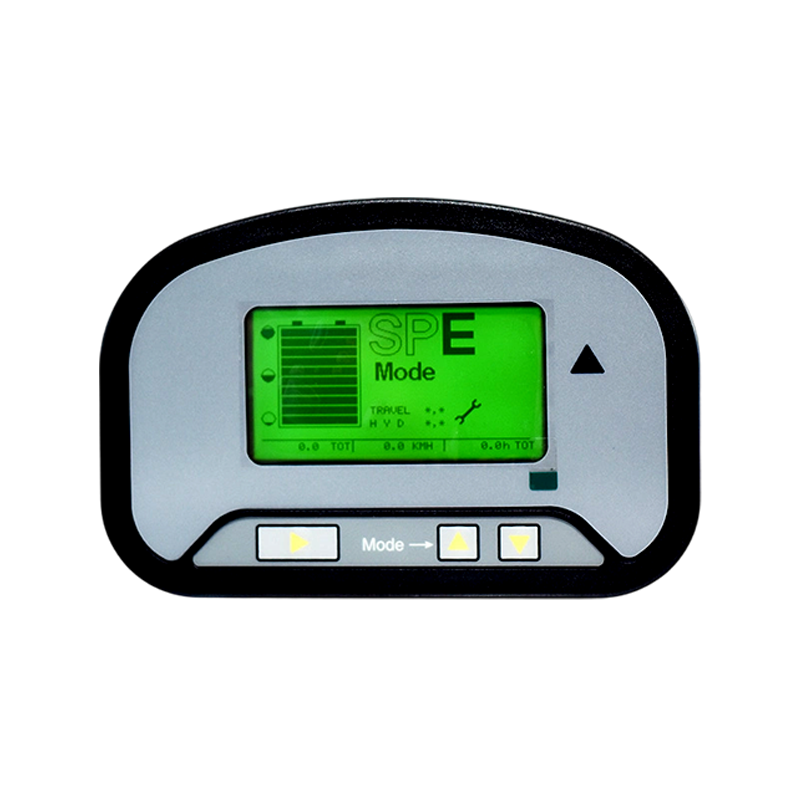
These units replace mechanical gauges with a compact LCD or LED screen. They typically show speed, state of charge, and hour meter. Their main advantage is low cost and simple wiring. Their limitation is a fixed data set and limited fault code storage.
Instrument Panels
An instrument panel combines analog gauges with indicator lamps. This architecture remains popular in rough environments because analog needles are readable at a glance and tolerate vibration. A typical panel includes a battery gauge, a speedometer, and warning lamps for temperature and brake status.
Battery Monitoring Instruments
These devices focus exclusively on the battery. They measure current via a shunt or receive data from a battery management system. Key functions include state of charge, state of health, deep discharge alarm, and charge cycle counting. They are often installed as a retrofit on vehicles with older controllers.
Multifunction Displays
Multifunction displays communicate over CAN bus and can be programmed to show different screens. They support full diagnostic trouble codes, service reminders, and parameter adjustment. They are the preferred choice for electric forklifts and other high-value vehicles.
Applications Across Warehouse Vehicle Classes
Different vehicle classes place different demands on the instrument. The table below summarizes typical requirements.
| Vehicle Type | Primary Need | Recommended Instrument | Typical Voltage |
|---|---|---|---|
| Electric forklift | Full diagnostics, speed, load | Multifunction display | 48V to 80V |
| Electric pallet truck | Battery state, hour meter | Digital display or monitor | 24V to 48V |
| Electric stacker | Speed, battery, warnings | Instrument panel | 24V to 48V |
| Warehouse transport vehicle | Speed, SOC, fault codes | Multifunction or digital | 48V to 72V |
Electric Forklifts
Forklifts require the most comprehensive instrumentation. The display must handle traction speed, lift height status, battery state, and hydraulic temperature. CAN bus integration is common because the motor controller and BMS already communicate digitally.
Electric Pallet Trucks
Pallet trucks are cost-sensitive and compact. A small digital display or a dedicated battery monitor is usually sufficient. The instrument must be sealed against dust and moisture because these vehicles often operate near loading docks.
Electric Stackers
Stackers need clear speed and battery information. An instrument panel with analog gauges works well because the operator's attention is divided between the load and the travel path. Warning lamps for overload and mast tilt are valuable additions.
Warehouse Transport Vehicles
These vehicles cover longer distances and may operate in cold storage. The instrument must remain readable in low temperatures and support speed limiting for pedestrian zones.
Key Features to Consider Before Specification
Four technical features separate a adequate instrument from a reliable one.
Display Visibility
Contrast ratio, backlight brightness, and viewing angle determine whether the operator can read the screen in a bright warehouse or a dim trailer. A minimum brightness of 400 cd/m2 is a practical baseline for indoor and dock use. Anti-glare coatings and high-contrast segments improve readability further.
Compatibility
The instrument must match the vehicle's electrical system: voltage range, signal types, and connector standards. A 48V system with a CAN bus requires a different input stage than a 24V system with analog senders. Compatibility also extends to the battery management system protocol.
Operating Environment
Warehouse vehicles encounter vibration, dust, moisture, and temperature extremes. The instrument should carry an IP rating appropriate to the application. IP54 is common for enclosed cabs; IP65 or higher is needed for open vehicles. Operating temperature range should cover -20 to +70 degrees Celsius for cold storage and high-ambient conditions.
Communication Interface
CAN bus is the dominant interface for modern electric vehicles. It allows the instrument to receive data from the controller, BMS, and other nodes without dedicated wiring. RS232 and RS485 remain in use for older or simpler systems. The choice of interface determines how much data the instrument can display and how easily it can be reprogrammed.
Practical tip: Always verify the CAN baud rate and message identifiers before ordering. A display that supports CAN open but not the vehicle's proprietary protocol will require a gateway.
How to Choose the Right Instrument for Your Fleet
Selection is a structured process. The following six steps prevent mismatches and costly returns.
- Vehicle type: Determine whether the vehicle is a forklift, pallet truck, stacker, or transport vehicle. This narrows the architecture options.
- Electrical system: Confirm nominal voltage, acceptable voltage range, and whether the system uses positive or negative ground.
- Mounting dimensions: Measure the dashboard cutout, available depth, and mounting hole pattern. A display that does not fit cannot be installed.
- Display requirements: List the data points the operator must see. Separate critical data from secondary data. Critical data should be visible without scrolling.
- Communication requirements: Identify the existing bus protocol and the data messages available. If the vehicle has no bus, choose an instrument with analog and digital inputs.
- Customization requirements: Consider whether the display needs custom icons, language options, or parameter settings. Customization affects lead time and minimum order quantity.
OEM and Replacement Applications
Instruments serve two distinct markets: original equipment manufacturing and aftermarket replacement. The requirements differ significantly.
| Factor | OEM Application | Replacement Application |
|---|---|---|
| Volume | High, scheduled | Low, unpredictable |
| Customization | Full, including firmware | Limited to connectors and brackets |
| Documentation | Complete technical file | Basic wiring diagram |
| Lead time | 8 to 16 weeks | 1 to 4 weeks |
| Testing | Environmental and EMC | Functional only |
For OEM programs, the instrument is designed alongside the vehicle's electrical architecture. CAN message sets, connector types, and mounting points are specified early. For replacement, the priority is physical and electrical compatibility with the existing vehicle. A replacement instrument may need to emulate the original signal inputs or accept a wider voltage range.
Fleet managers should keep a small stock of critical instruments. A failed display can immobilize a vehicle even if the drivetrain is healthy. Standardizing on one or two instrument models across a fleet simplifies spare parts management.
What to Ask an Electric Warehousing Vehicle Instrument Supplier
A structured supplier conversation reduces risk. The following questions cover the most common failure points.
- What is the operating voltage range, and does it include reverse polarity protection?
- Which communication protocols are supported, and can the message set be customized?
- What is the IP rating, and has the unit been tested for vibration and thermal shock?
- What is the display brightness, and is it adjustable?
- Are fault codes stored in non-volatile memory, and how are they retrieved?
- What is the connector type, and is a mating connector included?
- What is the minimum order quantity for custom firmware or icons?
- What is the warranty period, and what does it cover?
- Can the supplier provide a sample for bench testing before a full order?
Suppliers who can answer these questions with specific data are more likely to deliver a reliable product. Vague answers about "high quality" or "good compatibility" are a warning sign.
Why Choose Our Instruments
Our instruments are engineered for the electrical and environmental realities of warehouse vehicles. We focus on four principles:
- Protocol transparency: We publish supported CAN message sets and provide configuration tools.
- Environmental durability: Units are tested for vibration, humidity, and temperature cycling.
- Readability: Displays use high-contrast segments and adjustable backlighting.
- Support: We provide wiring diagrams, connector pinouts, and technical documentation.
We do not claim to be the only option. We do claim that our instruments are specified with enough detail for engineers to make an informed decision. If you need a display that matches your vehicle's existing architecture, we can help you evaluate the fit.
Frequently Asked Questions
Q1: What is the difference between a battery monitor and a multifunction display?
A battery monitor focuses on state of charge, voltage, current, and deep discharge alarms. A multifunction display handles those functions plus speed, hour meter, fault codes, and programmable screens. The multifunction display requires a CAN bus or other digital data source.
Q2: Can I replace an analog instrument panel with a digital display?
Yes, but you must verify signal compatibility. Analog senders produce variable resistance or voltage. A digital display may require a signal converter or a different sensor type. Check the input specifications before ordering.
Q3: What IP rating is suitable for a pallet truck instrument?
For pallet trucks that operate near loading docks or in wash-down areas, IP65 is a practical minimum. For enclosed cabs, IP54 is often sufficient. The rating must apply to the installed unit, not just the bare display.
Q4: How many fault codes should an instrument store?
A minimum of 20 stored fault codes with timestamps is useful for fleet diagnostics. Higher-end instruments store 100 or more. The key requirement is that codes are retained when power is removed.
Q5: What is the typical lead time for a custom instrument?
Custom firmware and icons typically add 4 to 8 weeks to the standard lead time. For a fully custom enclosure, expect 10 to 16 weeks. Off-the-shelf replacement instruments usually ship in 1 to 4 weeks.
Q6: How do I test an instrument before installing it in a vehicle?
Use a bench power supply set to the vehicle's nominal voltage. Connect the instrument according to the wiring diagram. Simulate sensor inputs with a signal generator or a resistor decade box. Verify display segments, backlight, and fault code retrieval before installation.
Request a Quote
If you are specifying instruments for a new vehicle program or replacing failed units in an existing fleet, we can provide a detailed quotation with technical specifications, connector options, and lead times.
To receive an accurate quote, please provide:
- Vehicle type and nominal voltage
- Required data points and display size
- Communication protocol and connector type
- Mounting dimensions and environmental rating
- Estimated annual quantity
Our technical team will review your requirements and respond with a recommended configuration.
For exclusive deals and latest offers, sign up by entering your email address below.

CONTACT
- 88 Chuangye Street, Qingshanhu Street, Lin 'an District, Hangzhou City, Zhejiang, China
- fldz@fengletech.com
- +86-571-61097576
- +86-13721109386
- +86-15067105688
NEWSLETTER
Contact us today to get your exclusive solution and quote.
We promise never to disclose your privacy.
Copyright © Hangzhou Fengle Electronic Technology Co., Ltd. All Rights Reserved
Custom Forklift Electrical Parts Manufacturers
